Frame Align
Frame Align — align cropped PNG animation frames
Your frames have different crop sizes. Your animation should still share one consistent pivot.
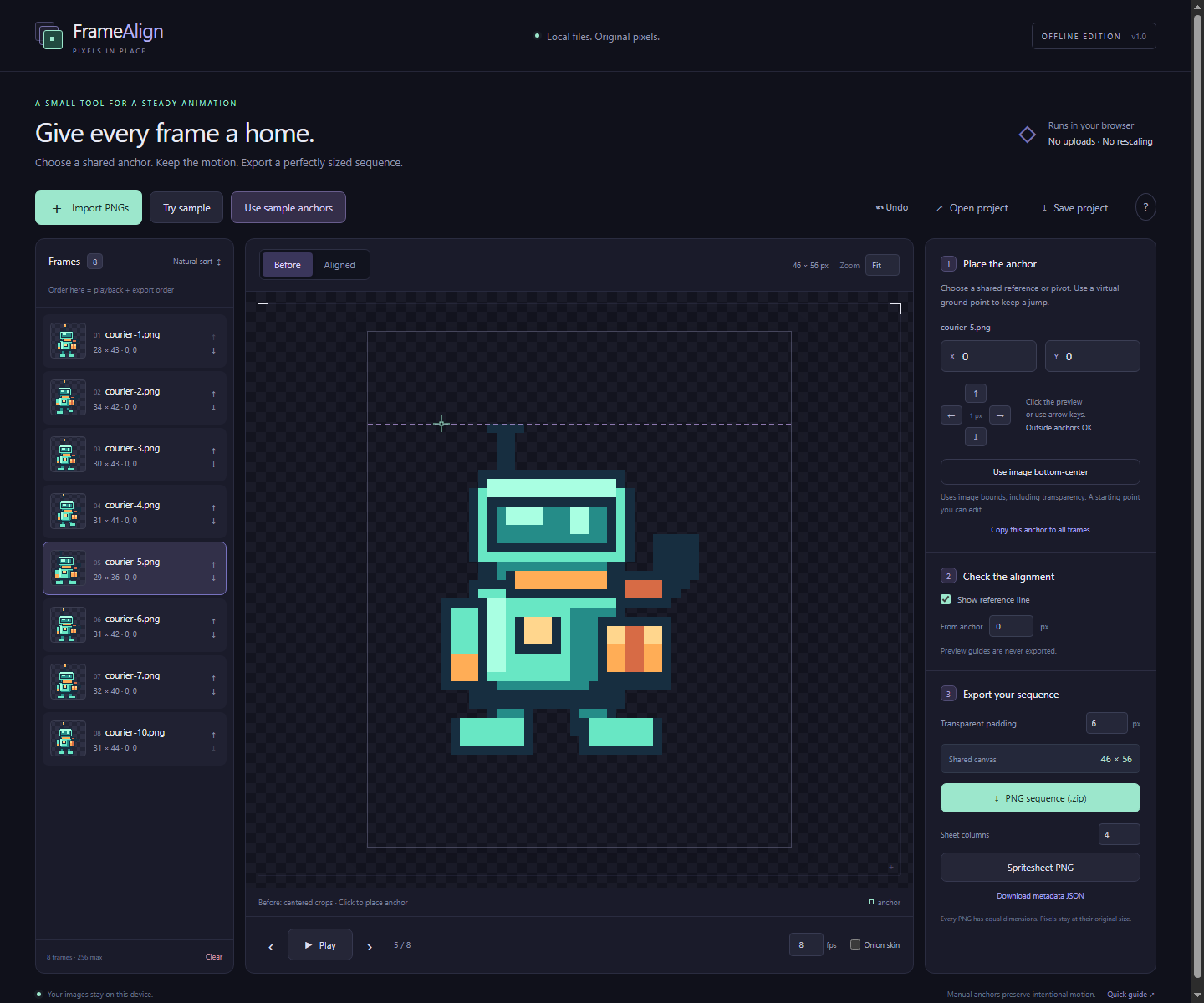
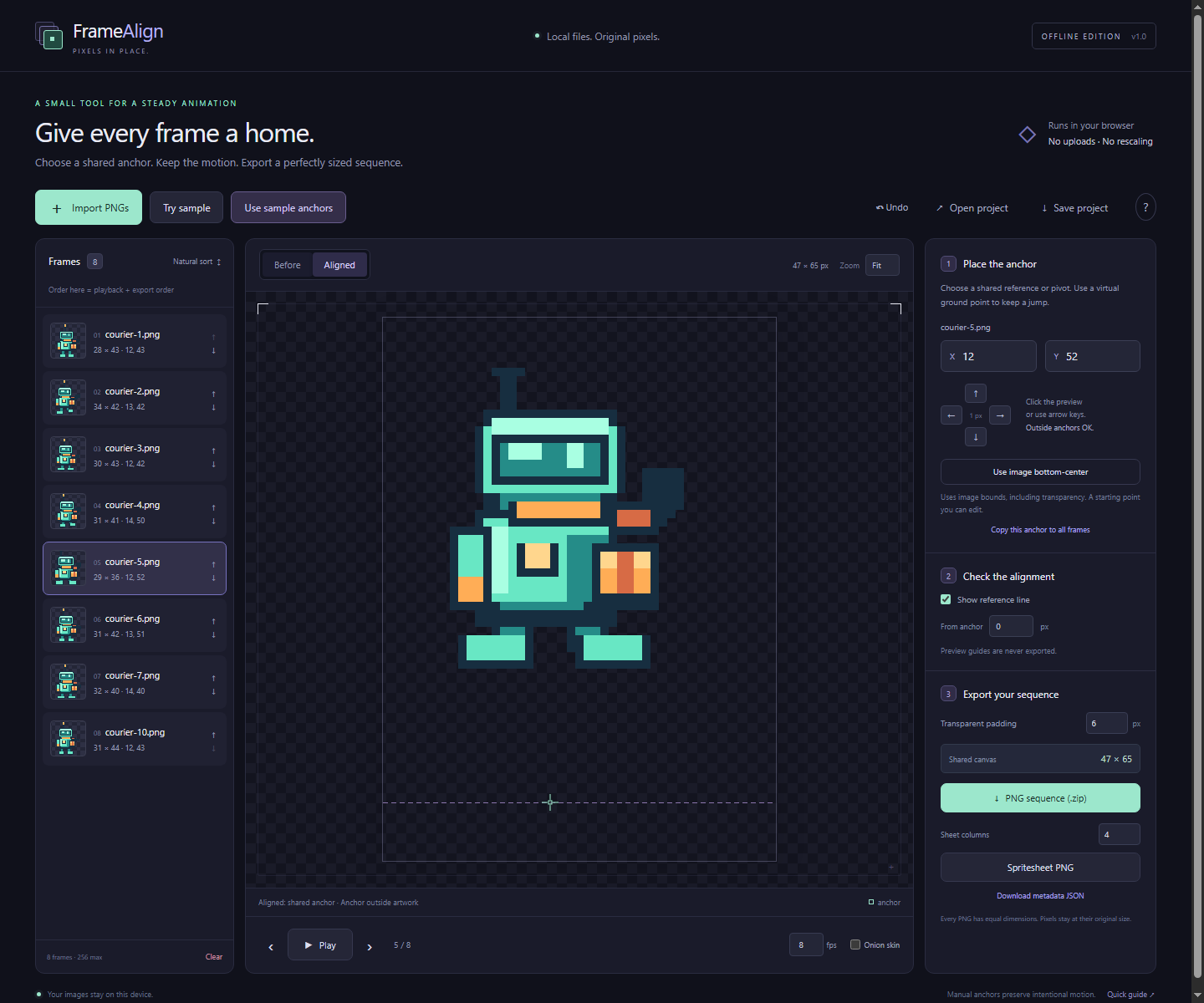
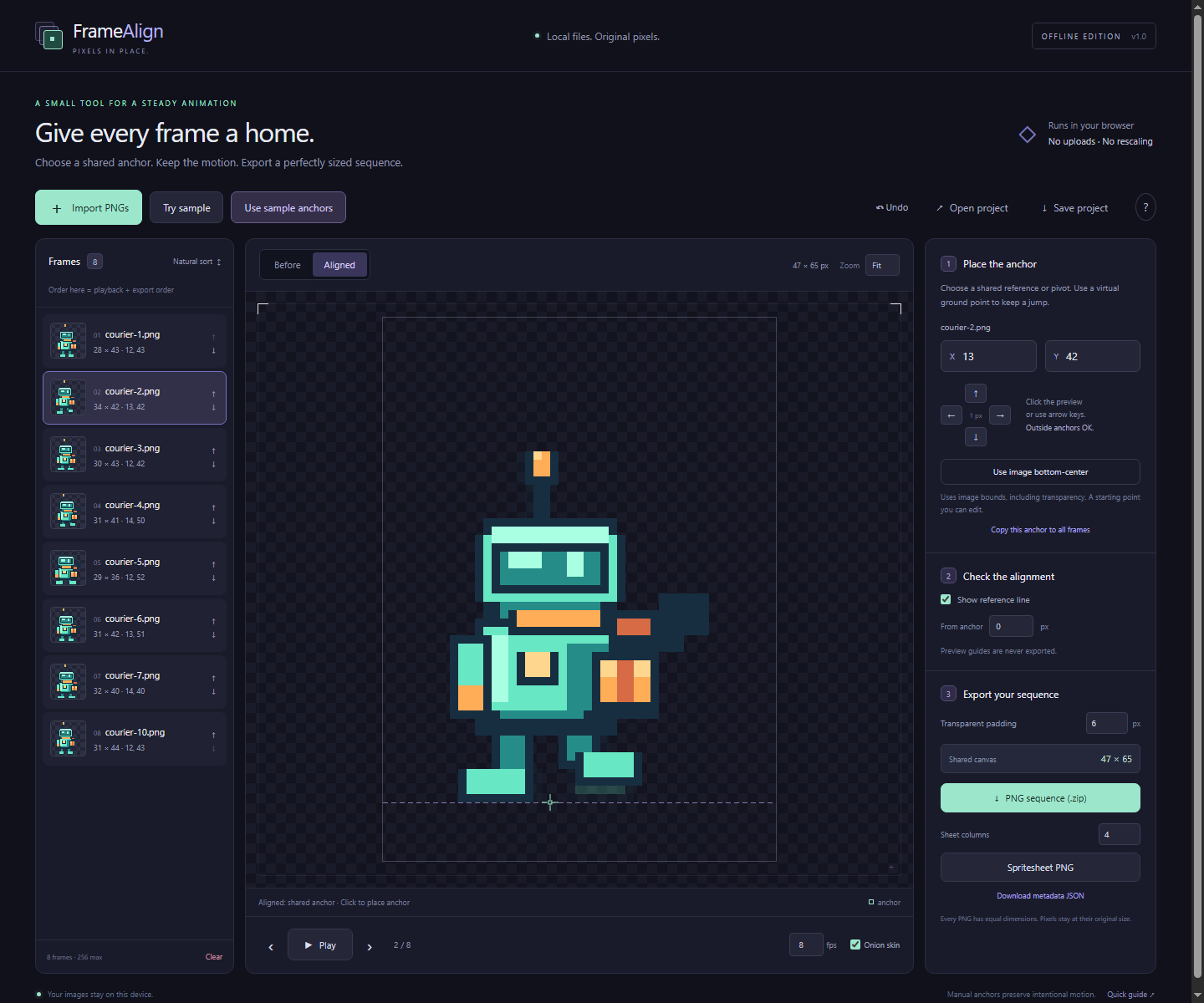
Frame Align is a small offline web utility for placing individual PNG frames on equal transparent canvases. Choose an anchor in each frame, check it with onion skin and playback, then export a ready-to-use sequence or regular spritesheet. Every image moves by whole pixels; the tool does not rescale or trim your source images.
What you can do
- Import PNG frames with different dimensions, naturally sort names, and reorder the sequence.
- Pick and edit per-frame anchors, nudge by whole pixels, and copy anchors between frames.
- Check onion skin, a reference line, and original/aligned playback.
- Fit every complete source rectangle inside a shared canvas with transparent padding.
- Export equal-sized PNGs in a ZIP, or a regular grid spritesheet and its matching JSON together in one ZIP. Metadata records order, original dimensions, anchors, and offsets.
- Save and reopen a local project with its source images and alignment settings; undo up to 20 recent changes.
Anchors are manual and editable, including coordinates outside the artwork. Frame Align does not pin the lowest opaque pixel to the floor, so you can preserve intentional jumps and other pose movement.
Try it before buying
The free HTML5 demo 1.0.2 handles up to 8 frames. Import your own PNGs or try the original sample, edit anchors, inspect onion skin and playback, then export an aligned PNG sequence ZIP. The demo provides this focused sequence workflow. Spritesheet and JSON metadata exports, plus project saving and reopening, are included in the paid edition. Keep your source PNGs: the demo does not save projects after closing the page.
The paid download contains the complete offline edition for up to 256 frames, original sample assets, documentation, and the commercial license. Extract it and open Frame Align.html in a modern desktop browser. No account or remote dependency is needed for the offline utility, and your images are processed locally.
What's new in 1.0.1
The Spritesheet + JSON (.zip) button now downloads one ZIP containing the sheet PNG and its matching JSON. Alignment metadata JSON clearly identifies the separate sequence metadata export. The alignment workflow, pixel preservation, and license remain the same.
Commercial use
Use your exported assets in unlimited personal and commercial projects. No attribution to Frame Align is required. You keep your rights to your images. The included original sample art is also available for nonexclusive commercial use in your projects. The utility itself may not be redistributed or resold; see the included license for the full terms.
A focused convenience tool
Frame Align is for already-created individual PNGs. It does not draw, generate art, slice sheets, or replace a sprite editor. Godot and Aseprite already solve parts of animation and spritesheet workflows; this tool packages manual alignment and consistent-canvas export into a focused local workflow.
Before downloading
- Requires a modern desktop browser with
CompressionStreamandDecompressionStreamsupport. Consult the included validation report for the browser actually checked. - Static PNGs only: 8-bit or lower grayscale, indexed, RGB, and RGBA, including Adam7. APNG and 16-bit PNG are rejected.
- Each input is limited to 8,192 pixels per axis and 16 million pixels. Total source pixels are limited to 64 million. The aligned canvas and sheet are limited to 8,192 pixels per axis and 32 million pixels each.
- PNG exports preserve decoded RGBA values, including translucent pixels and hidden RGB in fully transparent pixels. Original compression and ancillary PNG metadata are not retained, including color profiles.
- Projects must be downloaded to keep work after closing or reloading the page.
- Exports are standard PNG and JSON files; there is no native game-engine importer.
Verified software checks
37 of 37 checks passed in Chrome 153 on Windows. Firefox, Safari, touch input and memory stress have not been tested. Use the free demo with your own files before buying.
AI disclosure
Code and documentation were created with AI assistance. The original sample artwork and cover were drawn programmatically with Pillow; the screenshots were captured from the application.
Purchase
In order to download this tool you must purchase it at or above the minimum price of $4.99 USD. You will get access to the following files:
Download demo
Leave a comment
Log in with itch.io to leave a comment.